QC20 ballbar for machine tool verification
Highly regarded within the industry for being quick, simple and effective, Renishaw's ballbar for machine tool performance verification, is the trusted choice.
Meeting stricter tolerances, keeping up with customer deadlines, and maintaining international quality standards does not have to be a complex or ambitious objective. Incorporating straightforward measures such as machine calibration can effectively streamline processes, enhancing precision and efficiency along the way. Our QC20 ballbar is leading the way in machine tool diagnostics.
What is a ballbar?
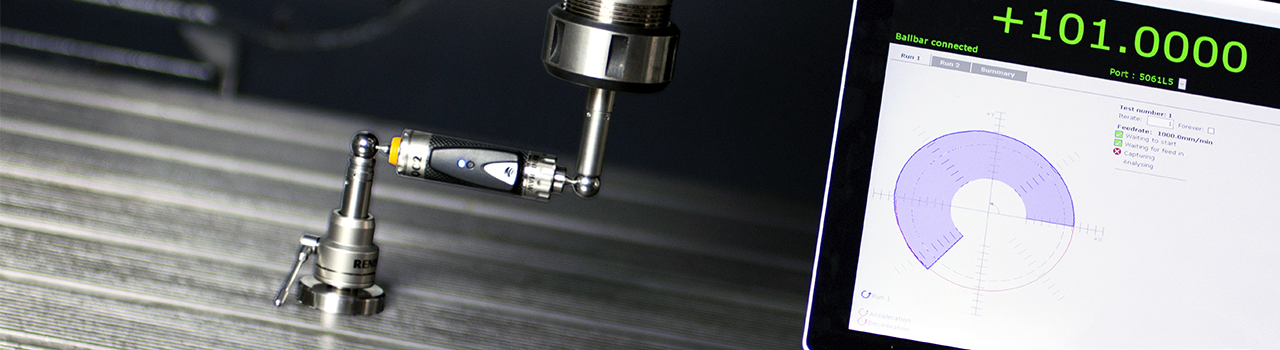
A ballbar is a telescoping linear sensor equipped with precision balls at both ends. Our QC20 ballbar serves as a precision measurement device used to assess a machine tool's performance by detecting minute variations in radius as it follows a programmed circular path around a fixed mount. During operation, the sensor's balls are precisely located within magnetic cups, facilitating the measurement of radius.
Unsure if QC20 ballbar is what you need?
To discuss your application, complete a contact form to speak to your local sales team.
Why would you use a ballbar?
Component dimensional and finish defects can stem from various factors, including defective tooling, worn spindles, or issues with workpiece clamping. However, defects can also trace back to positioning errors within the machine tool itself. These errors are known as geometric, dynamic or play-related issues.
Errors can be promptly addressed, often within a matter of minutes, provided you can pinpoint their exact nature and location. Whether your machine is brand new or used, errors can occur.
The key to achieving defect-free production lies in understanding the true capabilities of your machine. This knowledge enables you to effectively plan production and make necessary adjustments where required.
Historically, achieving this understanding involved machining test or "master" parts, followed by meticulous inspection. Not only is this method time-consuming but it also offers limited confidence when dealing with parts featuring different geometries than the master part.
With QC20 ballbar testing you can effectively assess a machine tool's performance. Areas where remedial action may be necessary can be identified quickly, providing you with the insights needed to maintain high-quality production.
Key benefits

Increase output
Minimise CNC machine downtime by leveraging a deeper understanding of its capabilities.

Reduce cost
Consistently produce accurate parts, first time, reducing overall scrap and inspection costs.

Ensure compliance
Verify that a CNC machine tool's positioning performance complies with global standards (e.g., ISO, ANSI/ASME).

Plan maintenance
Create effective and timely machine preventative maintenance schedules with ease.
Making QC20 ballbar testing an integral part of machine tool healthchecks has not only helped ensure consistent part conformity, it's also given us the ability to be able to return a machine tool previously deemed unproductive to full operational service.
Using the ballbar's diagnostic software to automatically interpret results and diagnose errors also means machine operators are effectively freed from having to calculate from first principles what the data really means, where the problem lies and how it can be remedied. This helps save a lot of time in component production.
BAE Systems, UK
Performing a ballbar test
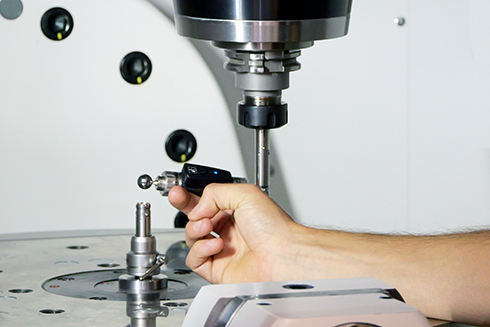
Ballbar testing involves a straightforward three-step process:
- QC20 ballbar set-up
- data capture during testing (360° or 220° partial arc)
- data analysis and diagnosis.
Featuring the latest Bluetooth® Low Energy (BLE) technology, the QC20 ballbar rapidly forms a robust wireless connection with the PC and provides superior power efficiency, plus a substantially longer battery life when in use.
Read ballbar testing explained to explore the range of tests that can be carried out with the QC20 ballbar. Our QC20 ballbar accessories for machine applications further enhance its versatility.
Ballbar 20 software
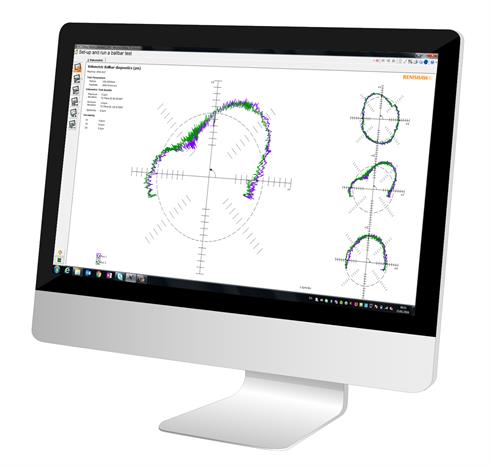
Our powerful diagnostics software simplifies testing and reporting processes for machine tool preventative maintenance measurement using the industry standard QC20 ballbar.
- Comprehensive test and reporting; flexibility to display captured data as analysis reports to international standards, e.g. ISO 230-4, ANSI B5.54 or using the comprehensive Renishaw analysis format.
- Selectable user modes; adapts to suit the operator's needs, skill level and authorisation (Quick Check, Operator and Advanced).
- Part program generator; helps ballbar test CNC part programs to be automatically generated quickly.
- Machine performance history; review variations in the machine's performance over time using standard report graphs and plot points for in-depth explorations.
- Ballbar plot simulator; powerful tool to aid decisions on corrective action or maintenance predictions from test results.
Meeting international standards
Recognised in major international standards, a ballbar test can serve as a crucial component of overall quality assurance procedures within a manufacturing process and as an objective assessment tool for the CNC machine tool.
Using QC20 ballbar for ISO 10791-6 standard testing is achieveable and highly effective. The QC20 ballbar can efficiently complete most tests outlined in the ISO 10791-6 standard. Reporting the maximum to minimum deviation in accordance with ISO 10791-6 can be effortlessly achieved by capturing data using our Ballbar Trace software.
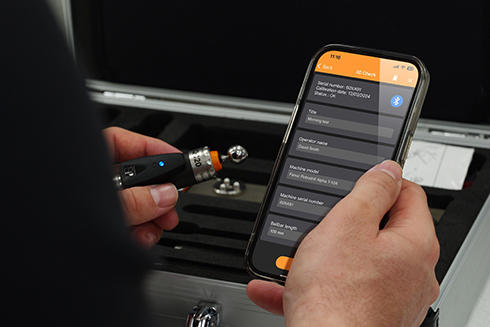
CARTO Ballbar Connect
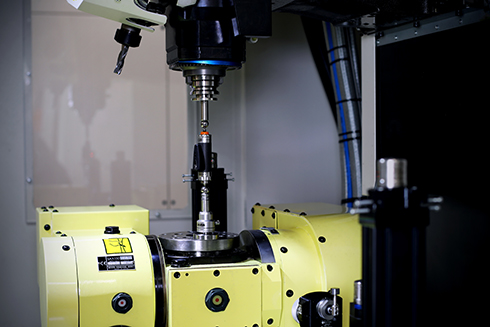
CARTO Ballbar Connect is Renishaw's first smartphone app for the QC20 ballbar, designed for swift and intuitive testing.
- Macro-based program; offers a single-line machine instruction to configure and run a ballbar test.
- Test sequence; 3D Check test runs a quick, static performance check on machine tools.
- Streamlined ballbar test; reduces measurement time and required user experience.
CARTO Ballbar Connect
Discover our range of machine calibration and optimisation products designed to improve the performance of precision motion systems. Renishaw can provide Calibration product training from experienced engineers to ensure optimal product performance.
How to order
Use our store to buy ballbar accessories or spares and benefit from quick delivery.
Machine Checking Gauge
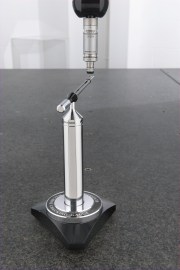
The Machine Checking Gauge (MCG) simplifies monitoring the accuracy of a CMM. Using the Renishaw MCG, a quick 10 - 20 minute interim verification of volumetric accuracy to the ISO 10360-2 standard can be performed. This ensures precise measurements and indication of when servicing or recalibration is needed.
This cost-effective solution uses a probe stylus in a reference 'ball' bar to assess CMM performance and repeatability, suitable for both large and small CMMs.
FAQs
How quick is it to perform a ballbar test?
Performing a test with QC20 ballbar is not time-consuming. Set-up is quick, and conducting tests typically takes only 10 to 20 minutes, avoiding extended machine downtime. This makes it an efficient tool for assessing machine performance.
What machines can QC20 ballbar perform tests on?
The QC20 ballbar is incredibly versatile and can perform tests on a wide range of machines, including CNC machine tools, milling machines, lathes and more. If you have a specific machine that you would like to perform a ballbar test on and are not sure if QC20 ballbar is the right solution, get in touch with our sales team.
What radius options are possible with the QC20 ballbar?
The QC20 ballbar includes a 100 mm long ballbar assembly and is supplied with 50, 150 and 300 mm long extension bars.
By assembling the ballbar with different combinations of extension bars it is possible to carry out ballbar tests with 100, 150, 250, 300, 400, 450, 550 and 600 mm radii. With additional extension bars it is possible to perform tests up to 1350 mm radius.
What is the recommended recalibration schedule for the QC20 ballbar?
The recommended recalibration period for a QC20 ballbar, when used in a 'normal' environment, is one year. To find out more, visit our calibration service, repair and recalibration web page.
Contact our sales team today
Get in contact with your local office to find out more information and speak to an expert.