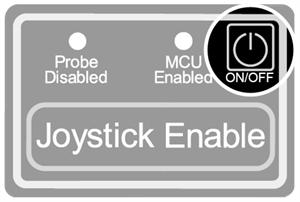
NavigationCMM supportCMM knowledgebaseLegacy productsMCU5 legacy hand controllerMCUlite-2, MCU5 and MCU W installation and user's guideGeneral informationProduct complianceSafetyWarningsRequirementsEnvironmental conditionsReferences and associated documentsManual control systems descriptionSystem operationInstallationMCU W cradlePairing the MCU W joystick with the cradleThe operation rangeMCU W ID labelsMCU W cradle LED indicatorsMCU W battery operation and maintenanceMCU W ON / OFF switchJoystick configurationMaintenanceFault findingNavigationCMM supportCMM knowledgebaseLegacy productsMCU5 legacy hand controllerMCUlite-2, MCU5 and MCU W installation and user's guideGeneral informationProduct complianceSafetyWarningsRequirementsEnvironmental conditionsReferences and associated documentsManual control systems descriptionSystem operationInstallationMCU W cradlePairing the MCU W joystick with the cradleThe operation rangeMCU W ID labelsMCU W cradle LED indicatorsMCU W battery operation and maintenanceMCU W ON / OFF switchJoystick configurationMaintenanceFault findingMCU W ON / OFF switchTurn unit on and off by pressing and holding down the button for three secondsThe MCU W joystick powers down automatically into a safe state when the voltage of the battery becomes low